
For hospitals: nursing orientation health check
Send us your nursing orientation binder. We'll show you what's really in it.
Your nursing competencies already exist. They live in binders, on shared drives and in footers nobody reads. Send us one packet and we'll turn it into a working Xapify program: checklists nurses complete on the floor, sign-offs recorded the moment they happen, and reports your managers can actually use.
Blank templates only. No patient information.
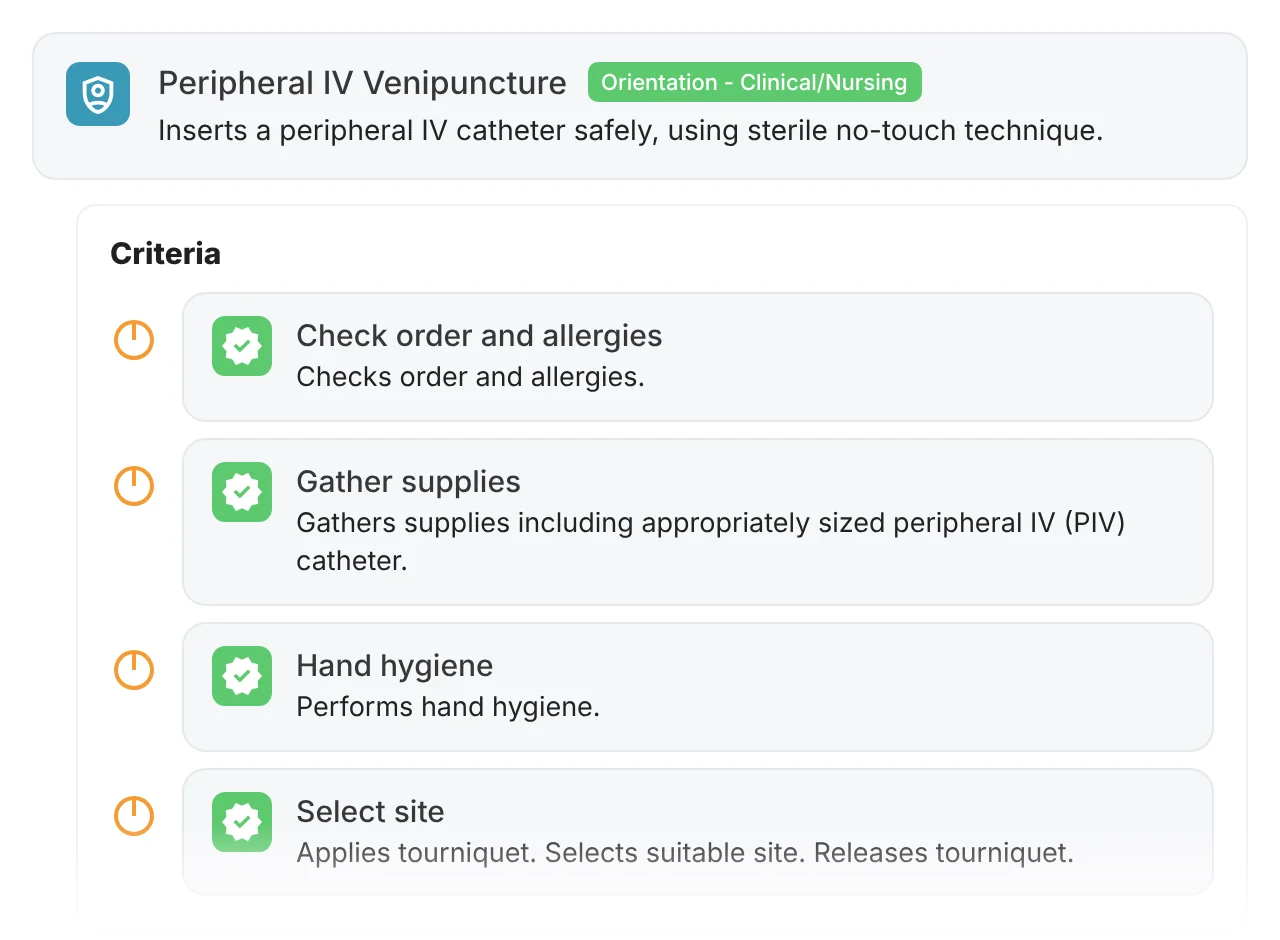
A paper page, and the same checklist in Xapify
How it works
Five steps from paper to a program you can run.
1. Send us your binder
Scan it, photograph it, or send the Word files straight off the shared drive. Skills checklists, day-one sign-off sheets, post tests, the lot. Don't sort it first: working out what's what is our job.
Blank templates only. We don't want completed forms or anything with patient information on it.
2. Get your health check
We read every page and tell you what's actually in there: what a nurse can be assessed on, what's reference material, what's out of date, what's missing, and the workflow rules hiding in your footers.
These are the real numbers from one hospital's two-binder orientation packet.
Every page, coloured by what it turned out to be
Binder 1
Binder 2
- Skills checklist
- Sign-off sheet
- Test
- Reference, policy, admin
- Blank side
3. Your educators review it
Every competency, skill and quiz question comes back in your hospital's own wording, with the page it came from. We don't paraphrase content your committees already approved.
The rules come too: who it applies to, what has to happen first, how many observations, how often it comes round again. Nothing goes live until your educator signs it off.
| No. | Skill, as written | Evidence |
|---|---|---|
| 1 | Checks order and allergies. | Demonstrate |
| 2 | Gathers supplies including appropriately sized peripheral IV (PIV) catheter. | Demonstrate |
| 15 | Maintains sterile no-touch technique during insertion. | Demonstrate |
- Experienced: 1 observed insertion
- Limited experience: 3 observed insertions
- Each insertion initialled and dated
4. Nurses complete it on the floor
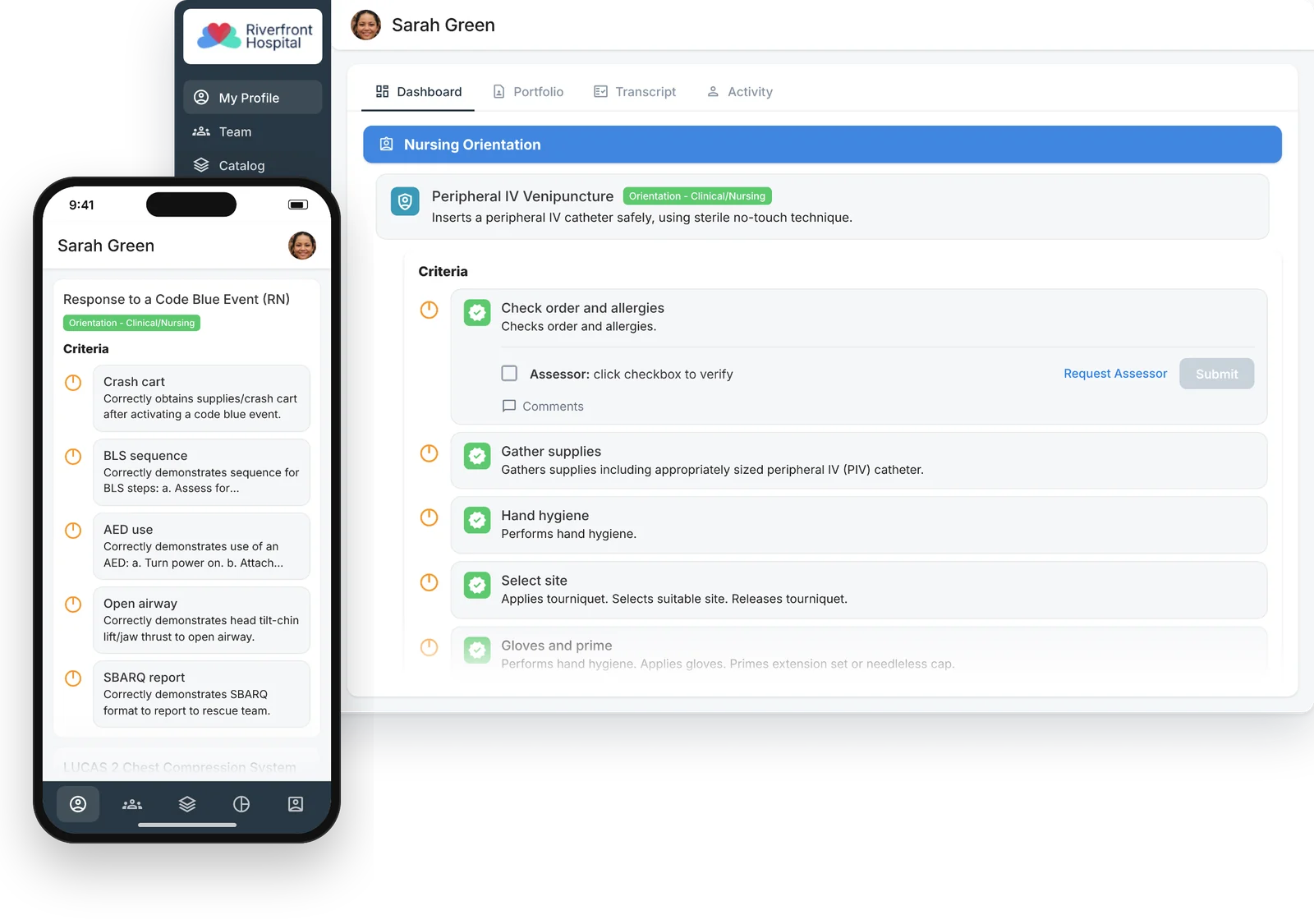
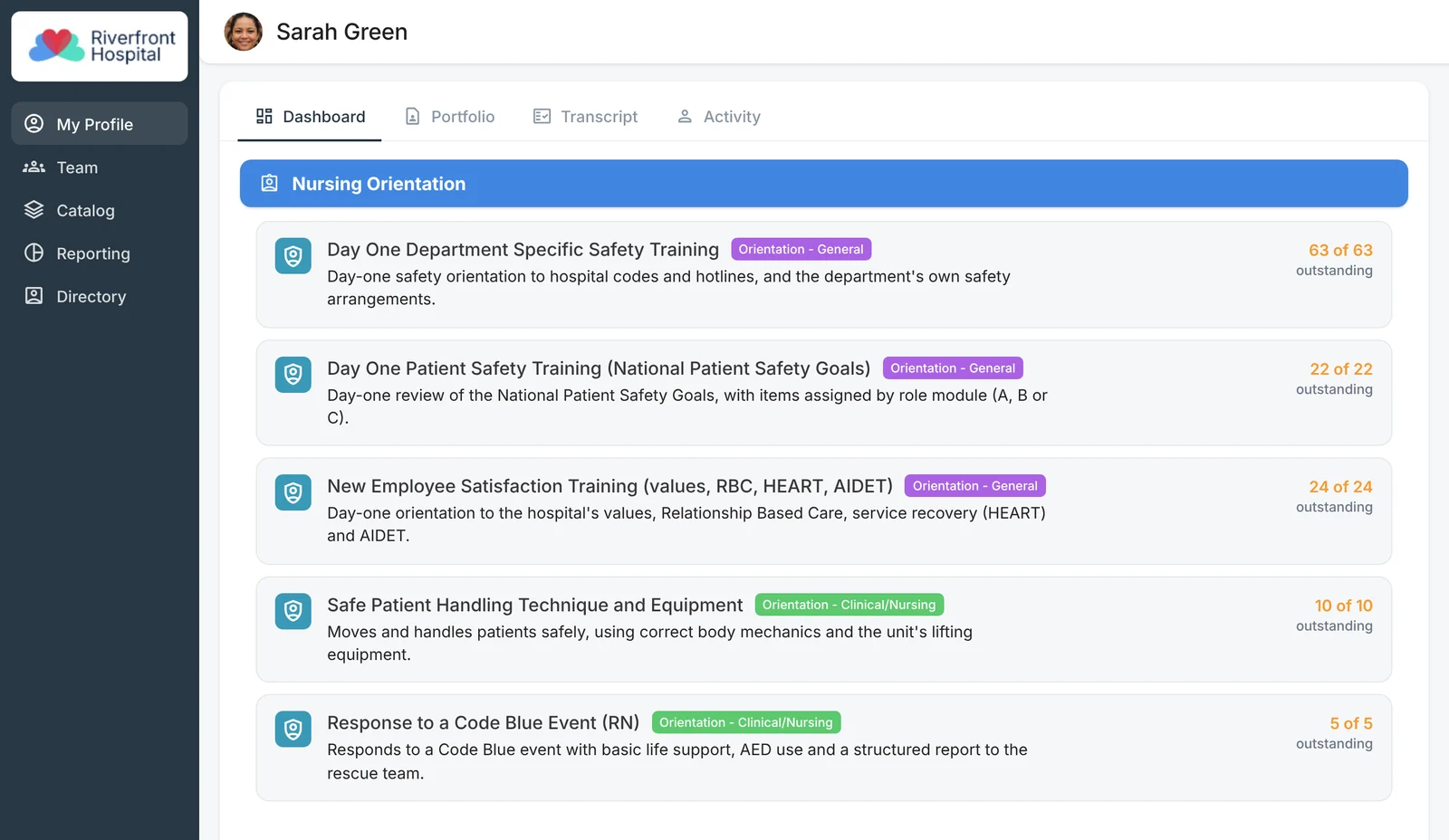
The checklist that lived in a binder is now on the nurse's phone and the ward computer. The assessor ticks off each skill as they watch it, and the record is signed and dated the moment it's done.
No pages to send back to the coordinator. No chasing who has the binder.
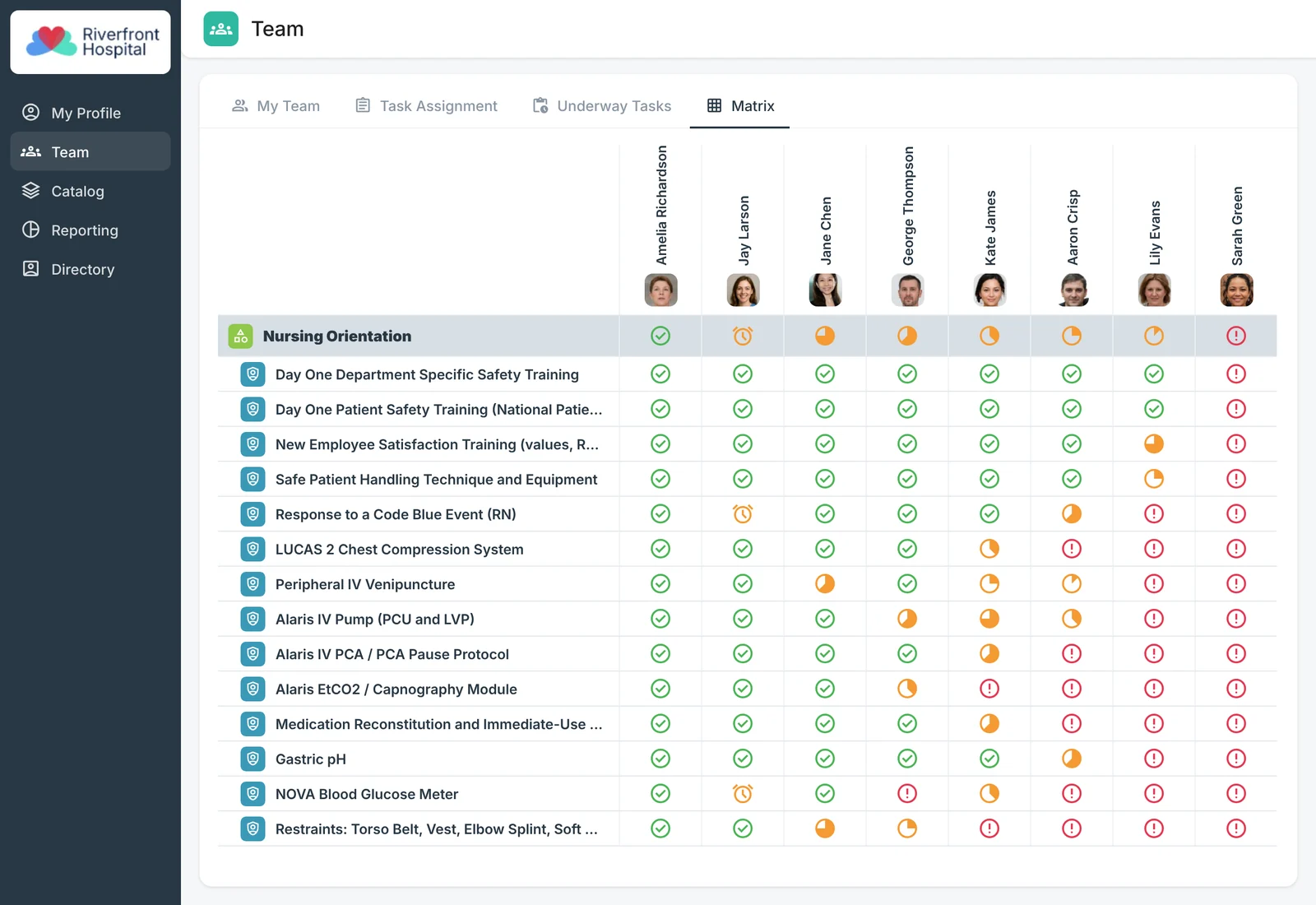
5. Managers see who's ready
Every nurse on the orientation role, against every competency, on one screen: who's finished, who's part way through and who's just started. Annual revalidations get flagged before they lapse, not after.
And when the surveyor asks, the evidence is a report, not a filing cabinet.
What's really in an orientation binder
One hospital's two-binder packet, page by page.
of the pages were checklists, sign-off sheets and tests a nurse is assessed on. The rest was reference: policies, maps and product sheets.
workflow rules sitting in footers and shaded cells: who signs, how many observations, and which test comes before which practical.
skills across 14 competencies, each kept in the hospital's own wording, with the page it came from.
quiz questions across two post tests, each one passed before its practical sign-off.
What you get back
Your health check
A report on every page: what can be assessed, what's reference, what's out of date, what's missing, and the rules hiding in your forms.
Your review sheet
Every competency, skill and quiz question in your own wording, with its source page, ready for your educators to check.
A working trial
Your content loaded into a Xapify trial account, so you can assign it to a real nurse and watch it work.
Rather do it yourself? Download the free Digitizing Skills & Competencies Toolkit.
Send us a packet
Send us one orientation packet
One unit's packet is plenty. We'll send back your health check, and we'll talk you through it if you want us to.
- Scan or export the blank forms.
- Upload them here, with a line on which unit they're from.
- Get your health check back.
- Blank templates only, please. No patient information.
- Files are stored privately in our CRM. Only our team can open them.
Upload your packet
Form not loading? Contact us and we'll sort out another way to get the files to us.
Rather see Xapify first?
See nursing orientation in Xapify in a 30-minute demo.
Book a healthcare demo