
Free Excel template
Free training matrix template
An Excel training matrix that colours itself: green when training is in date, amber when it's due in the next 30 days, red when it's expired. Swap in your people and your training and it's ready to use.
Excel file (.xlsx). Free, with your work email.
| Name | GMP and hygieneevery 12 months | Allergen awarenessevery 12 months | Forklift operatorevery 36 months | Lockout/tagoutevery 12 months |
|---|---|---|---|---|
| Ruby Martin | 16 Oct 2026 | 21 Oct 2025 | 29 Jan 2026 | 10 Dec 2025 |
| Sam Okafor | 10 Dec 2025 | 3 Mar 2026 | N/A | 28 Jul 2026 |
| Priya Nair | 17 Aug 2026 | 27 Aug 2026 | 13 Aug 2023 | 26 Oct 2026 |
| Tom Walsh | 9 May 2026 | 29 Apr 2026 | 31 Dec 2023 | 10 Nov 2025 |
| Ben Hughes | 20 Nov 2026 | Not done | N/A | Not done |
- In date
- Due in 30 days
- Expired
- Not done
Example rows from the template. The names are made up.
What a training matrix is
A training matrix is a grid of your people against the training their jobs need, with the date each person completed each item. It answers three questions quickly: who is trained, whose refresher is coming up, and who hasn't done it at all.
It's different from a skills matrix. A training matrix records dates. A skills matrix records how capable each person is at each task, from still learning through to able to train others. Plenty of sites keep both: the training matrix for the auditor, the skills matrix for the roster.
What's in the template
One sheet for the matrix, one sheet of instructions.
Refresh periods per column
Set how often each item needs refreshing, in months, in the row above the dates. Use 0 for training that never expires.
Colours that work themselves out
Enter a completion date and the cell turns green, amber or red from that column's refresh period. Blank cells for people who need the training turn grey.
Counts under every column
Rows at the bottom count what's expired, what's due in the next 30 days and what hasn't been done, per item.
N/A for training a role doesn't need
Type N/A where someone doesn't need an item, so the gaps you see are real gaps.
Room for 50 people
Name, role, team and start date for each person. Add columns for more training as you need them.
Prints on one page wide
Set to landscape with the headings repeated, for the wall in the lunchroom or the folder for the auditor.
How to set up a training matrix
An afternoon's work for most teams, most of it finding the dates.
List the training each role needs
Start with what's required of you: inductions, licences, refreshers your regulator or customers expect, and the SOPs people have to be trained on. Add the rest after.
Set a refresh period for each item
Take it from the regulation, your customer's standard or your own risk assessment. The periods in the template are examples, not advice.
Add your people
Name, role and team. Delete the example rows first.
Fill in the dates
From sign-in sheets, certificates and whatever system holds your training records. Leave a cell blank if someone hasn't done it, and type N/A if their role doesn't need it.
Look at it every week
Book refreshers from the amber cells, so you're not finding red ones the week before an audit.
Keep the evidence behind it
The matrix is a summary. Keep the signed records it's based on, because that's what an auditor will ask to see.
Training matrix templateExcel file, with a How to use sheet. Free, with your work email.
DownloadCommon columns
A starting point. Your list should come from your own requirements.
- Site induction
- Manual handling
- Fire warden
- First aid
- GMP and hygiene
- Allergen awareness
- HACCP
- Cleaning and sanitation SOPs
- Forklift operator
- Lockout/tagout
- Working at heights
- Confined spaces
- Chemical handling
- Machine-specific sign-offs
Where a spreadsheet stops working
A date tells you someone sat through the training. It doesn't tell you they can do the job, and that's the question an auditor or an incident investigation will ask.
Spreadsheets also go stale. Someone forgets to update it after a sign-off, a supervisor keeps their own copy, and the version on the shared drive is three weeks behind the one on the wall.
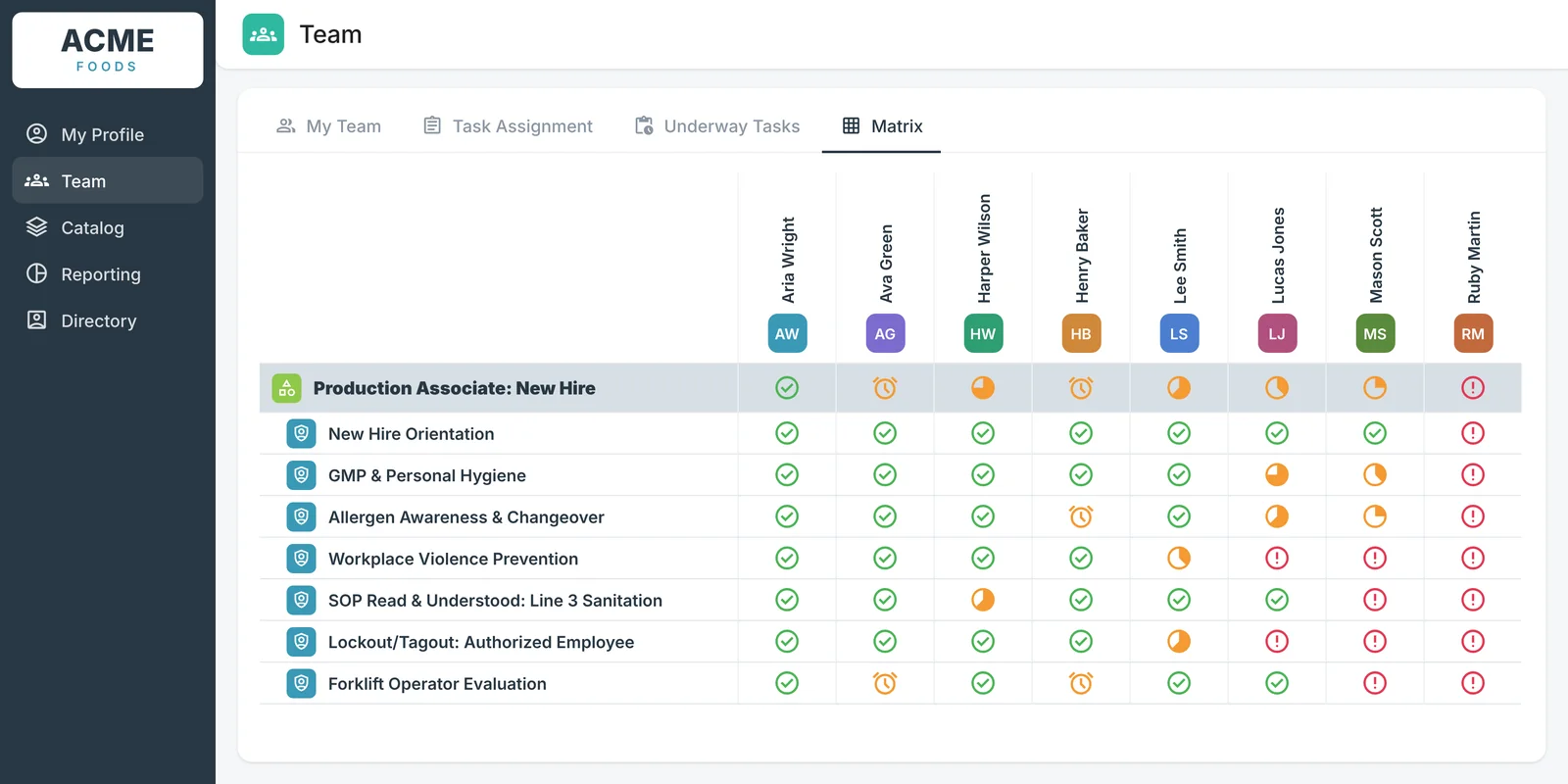
Xapify assigns training and competencies by job role, records sign-offs on a phone or tablet where the work happens, and flags what's due before it lapses. The matrix keeps itself up to date.
Questions
What is a training matrix?
A training matrix is a grid of people against the training their jobs need, with the date each person completed each item. It shows at a glance who is trained, whose refresher is due and where the gaps are.
What should a training matrix include?
Each person's name, role and team; the training each role needs; the date each item was completed; and how often each item needs refreshing. The template adds colours and counts so overdue training stands out.
What's the difference between a training matrix and a skills matrix?
A training matrix records completions and refresh dates. A skills matrix records how capable each person is at each task, often on a scale from learning to able to train others. Many teams keep both.
How often should a training matrix be updated?
Every time someone completes training, changes role, starts or leaves. Look at it at least weekly so refreshers are booked before they lapse rather than after.
Is the template really free?
Yes. Tell us your name and work email and it downloads straight away. It's yours to change and share.
Will it work in Google Sheets?
It's a standard .xlsx file, so it opens in Excel, Google Sheets and LibreOffice.
Need skill levels as well as dates?
Build a skills matrix for your team in the browser, then download it as Excel or PDF.
Try the skills matrix builder